AI Agent Analysis
AI Agent Analysis runs an automated root cause investigation every time an alert or Cloud SIEM rule triggers, so you understand not just what happened, but why.
When the alert fires, an OrionIQ agent dedicated to that alert starts investigating immediately. It correlates error logs, checks for related metric anomalies, inspects recent deployments, traces the affected request paths, and summarizes the probable root cause with recommended remediation steps. The report is delivered to the recipients you choose and attached to the triggered alert, and every run is kept in the agent's invocation history.
AI Agent Analysis is available for log alerts, metric alerts, and Cloud SIEM security rules.
What you get
Each analysis is a structured report:
- Root cause verdict with a confidence level, so you know how much weight to give it.
- Findings, each tagged with a severity and its source: logs, metrics, traces, or a connected integration such as Slack, Jira, or Confluence. Every finding is backed by the query the agent ran, so you can verify it yourself.
- Recommended remediation steps.
- Open questions and evidence gaps, where the agent could not confirm something, rather than a guess.
Choose Summary for a short write-up or Detailed for the full investigation. You can read the full analysis, including the agent's reasoning steps and the tool calls it made, in the Invocations tab of the Agents Hub.
Turn on AI Agent Analysis
Open the alert from Alerts or the rule from Cloud SIEM, or create a new one.
Give the alert a clear description. The description is the context the agent reasons against, so a vague one produces a vague analysis.
Scroll to AI Agent Analysis and check Activate AI Agent Analysis.
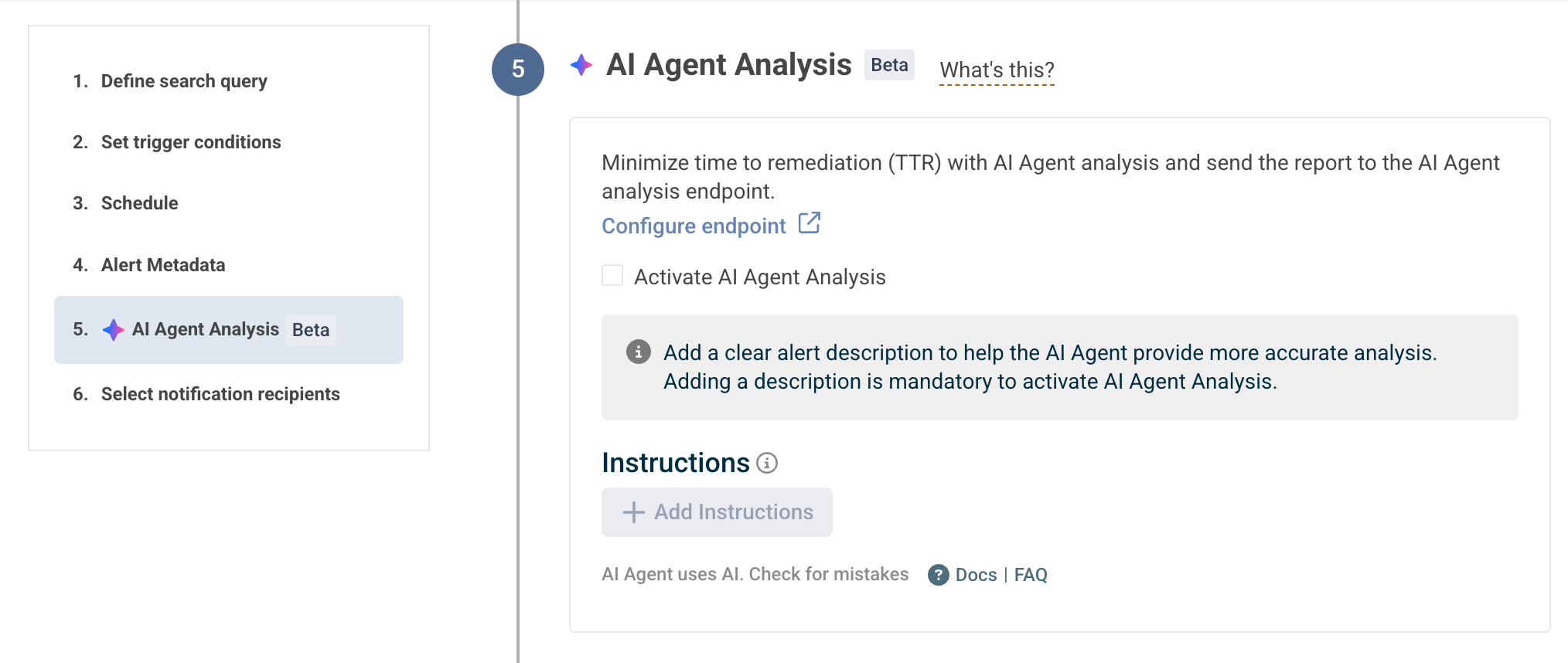
Click Configure your agent to set how the investigation runs:
- Instructions and runbook - a step-by-step playbook the agent follows when it investigates: what to check, where to look, and what to do next. Read more about Alert instructions.
- Output detail - Summary or Detailed.
- Integrations - the connected tools the agent can draw on, such as Slack, Jira, and Confluence. See OrionIQ integrations.
- Recipients - by default the analysis goes to the alert's own notification endpoints. Select recipients manually when the analysis is for a different audience than the alert, for example a shared channel or specific email addresses.
Save the alert. The agent runs automatically on every trigger.
Enabling AI Agent Analysis creates an OrionIQ agent for the alert. You can also manage it like any other agent from the Agents Hub, including its daily invocation cap and the accounts it reads from.
Read the analysis
- On the triggered alert - in the Alerts Status tab, alerts with analysis enabled show its status, and you can open the generated root cause analysis next to the trigger. See Triggered alerts.
- Where you were notified - Slack, Microsoft Teams, email, or any custom webhook endpoint you selected as a recipient.
- In the Agents Hub - the Invocations tab keeps every run, with the full report, the agent's reasoning, and the queries it ran. Rate each run there; a note that teaches the agent something becomes a lesson applied to its future runs. See Provide feedback.
Investigate on demand
You don't have to wait for the next trigger. In the Alerts Status tab, choose Investigate with AI on any triggered log alert event to run the analysis on that event now.